 FIXSIM
Custom Tags
FIXSIM provides the ability to define and use custom FIX tags in your FIX sessions. This feature is useful for testing scenarios that require non-standard tags or for simulating specific behaviors in your FIX applications. This report allows the definition of custom or standard tags to be added automatically to specific message types when generated and sent. The tags can be hardcoded to a single value or randomly selected from a list of values.
This report enables you to configure both custom and standard FIX tags to be automatically added to specific message types when they are generated and sent. Tag values can be either hardcoded to a single value or randomly selected from a predefined list.
Message Type Custom Tags
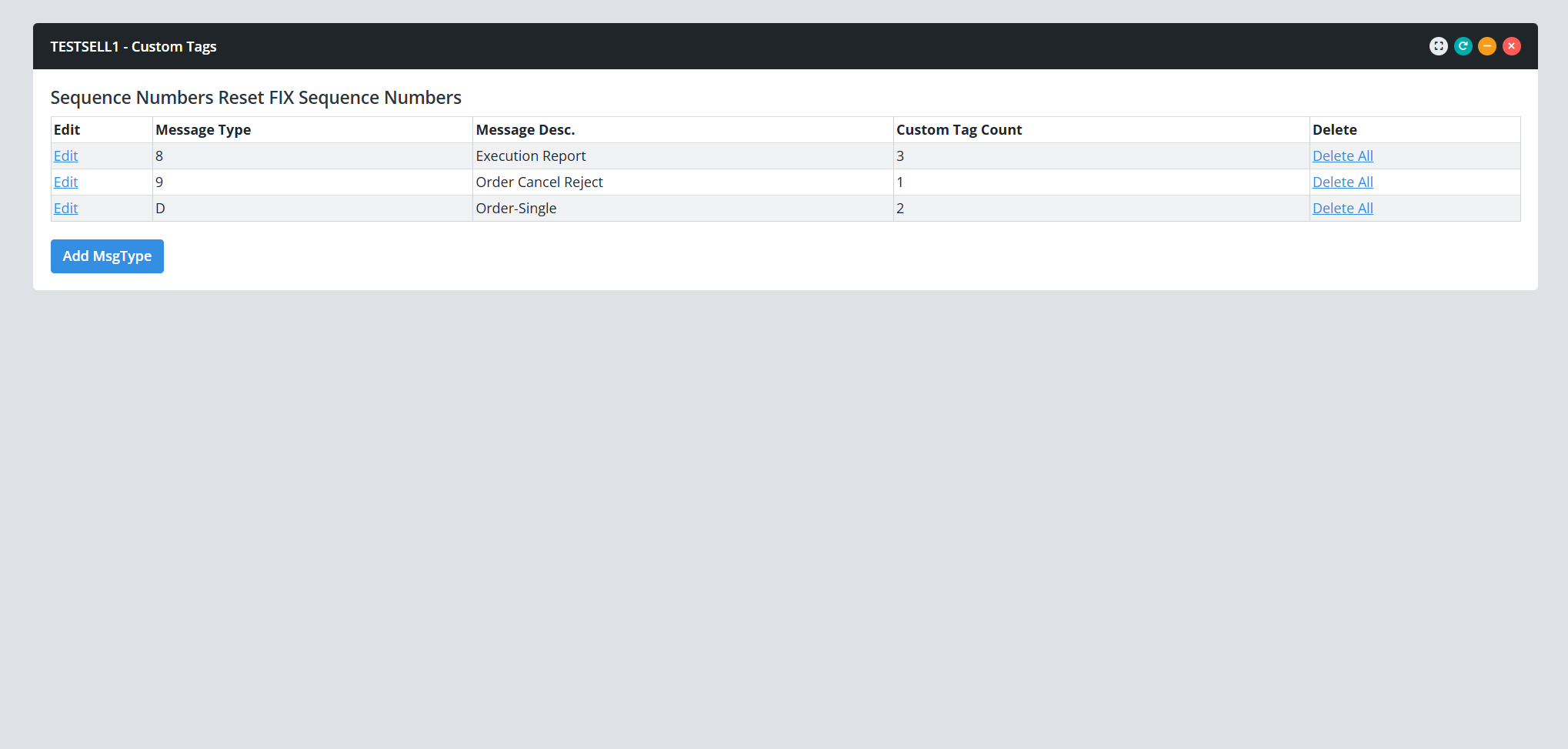
This report displays the FIX custom tag configuration by message type.
Defining Tags/Values for a Target Message Type
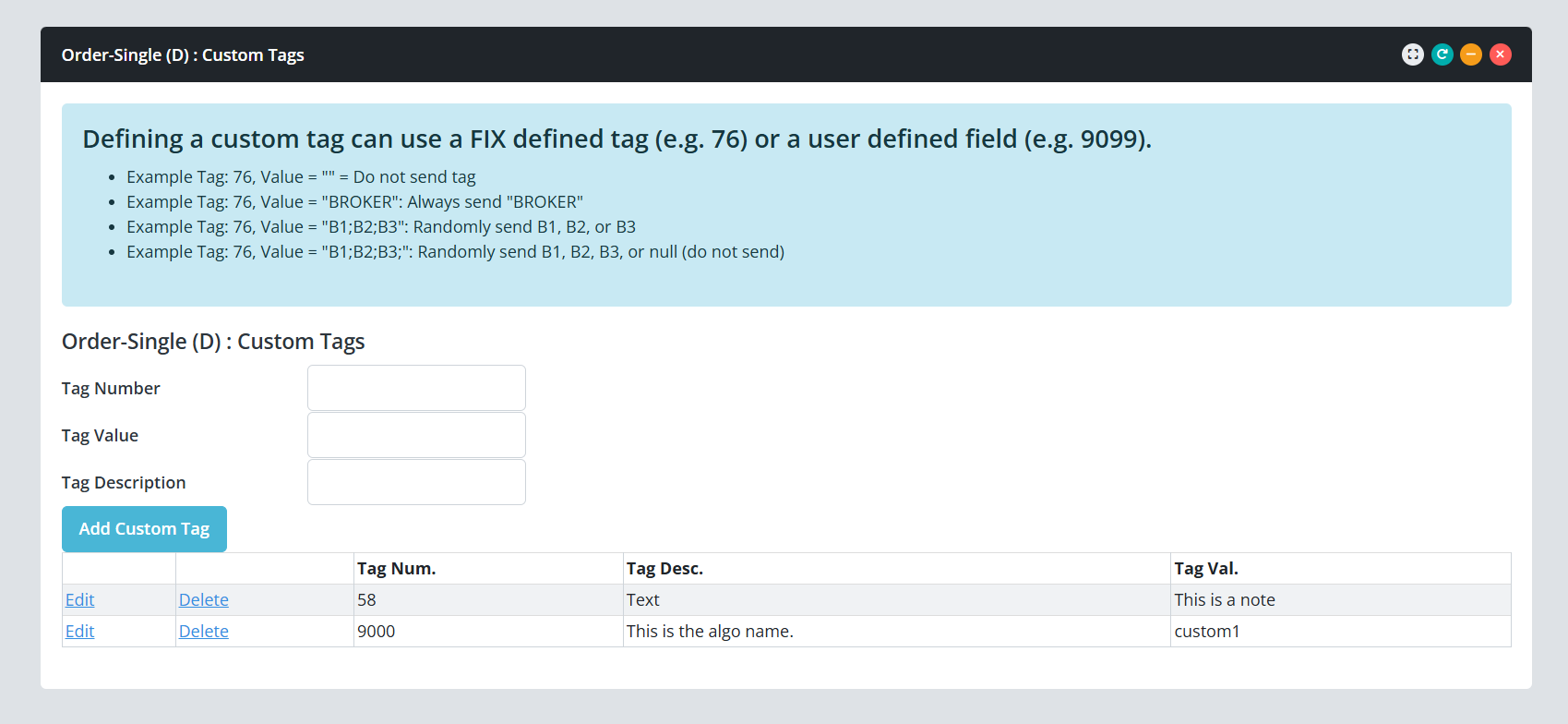
The screenshot below shows the dialog used to define custom tags and their associated values for a specific message type. In the example shown, for a New Order Single (MsgType = D) message:
- Tag 58 (Text) is configured with a single hardcoded value of "This is a note".
- Tag 9000 is configured to send the value "custom1" with every New Order Single (D) message generated.